Resources for the PowerPoint 2021 Book
PowerPoint Online Course
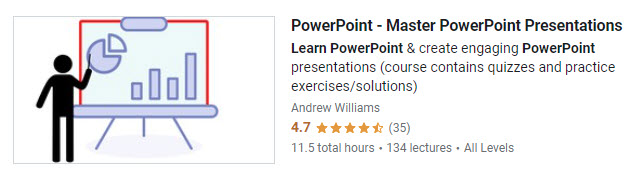
This book closely follows my online course. If you prefer to learn in a course where you can ask questions, then you might want to consider my PowerPoint course. The book makes an excellent companion to the course, covering the same material.
I've set up a coupon for a discount, it you are interested. More details here.
The resources on this page are divided into sections that refer to the chapters of the book.
Chapter 1
Video solution to Practice Exercise: The Quick Access Toolbar (QAT) – link
Chapter 2
Video solution to Practice Exercise: Quickstart Presentation – link
Chapter 3
Video solution to the Practice Exercise: Good Design – link
Chapter 4
Video solution to the Practice Exercise: Slide Master – Link
Chapter 5
Video solution to the Practice Exercise: Inserting Stuff – Link
Chapter 6
Video solution to the Practice Exercise: Adding Text – Link
Chapter 7
Video solution to the Practice Exercise: Adding Shapes – Link
Chapter 8
Video solution to the Practice Exercise: Adding Pictures – Link
Chapter 9
Video solution to the Practice Exercise: Working with Data & Charts – Link
Chapter 10
Video solution to the Practice Exercise: Adding Tables – Link
Chapter 11
Video solution to the Practice Exercise: Audio & Video– Link
Chapter 12
- Motion Path Example Presentation (zipped) – download
- The Push Transition Exercise – Watch the video
- Video solution to the Practice Exercise: Animations & Transitions Link
Chapter 15 - The DEMO Project
- A Typical Bad Presentation – using the information in the book, I created a bad, but typical presentation. This video has two versions, and while one is a little better than the other, they are both still bad. Watch the video here.
- Fonts, Colors and the Slider Master – in this video, I'll choose a color scheme and fonts for my presentation, and set upt hte Slide Master. Watch the Video here.
Creating the Slides
Slide 1 – Cover Slide – Watch Video
Slide 2 – Benefits – Watch Video
Slide 3 – Wavelength & Frequency – Watch Video
Slide 4 – Measurements – Watch Video
Slide 5 – Construction & Deployment – Watch Video
Watch the Presentation
In this video, I'll present the original text-based presentation first, followed by the new one. I realise you probably don't have an interest in this stuff, but hopefully you will agree that for an audience wanting to learn this stuff, the second version is better.
Chapter 16
Demo: Edraw Max – A Great drawing tool that can help create PowerPoint slides.
Visit the Edraw Max Website.